 Physics Shark































Braveward
Looking for a tycoon game you can play at school? Braveward loads straight in your browser on Physics Shark: free, unblocked and nothing to install. Play it on a school Chromebook, a laptop, a phone or a tablet.
Show moreShow less
Play Braveward unblocked
Looking for a tycoon game you can play at school? Braveward loads straight in your browser on Physics Shark: free, unblocked and nothing to install. Play it on a school Chromebook, a laptop, a phone or a tablet.
What is Braveward?
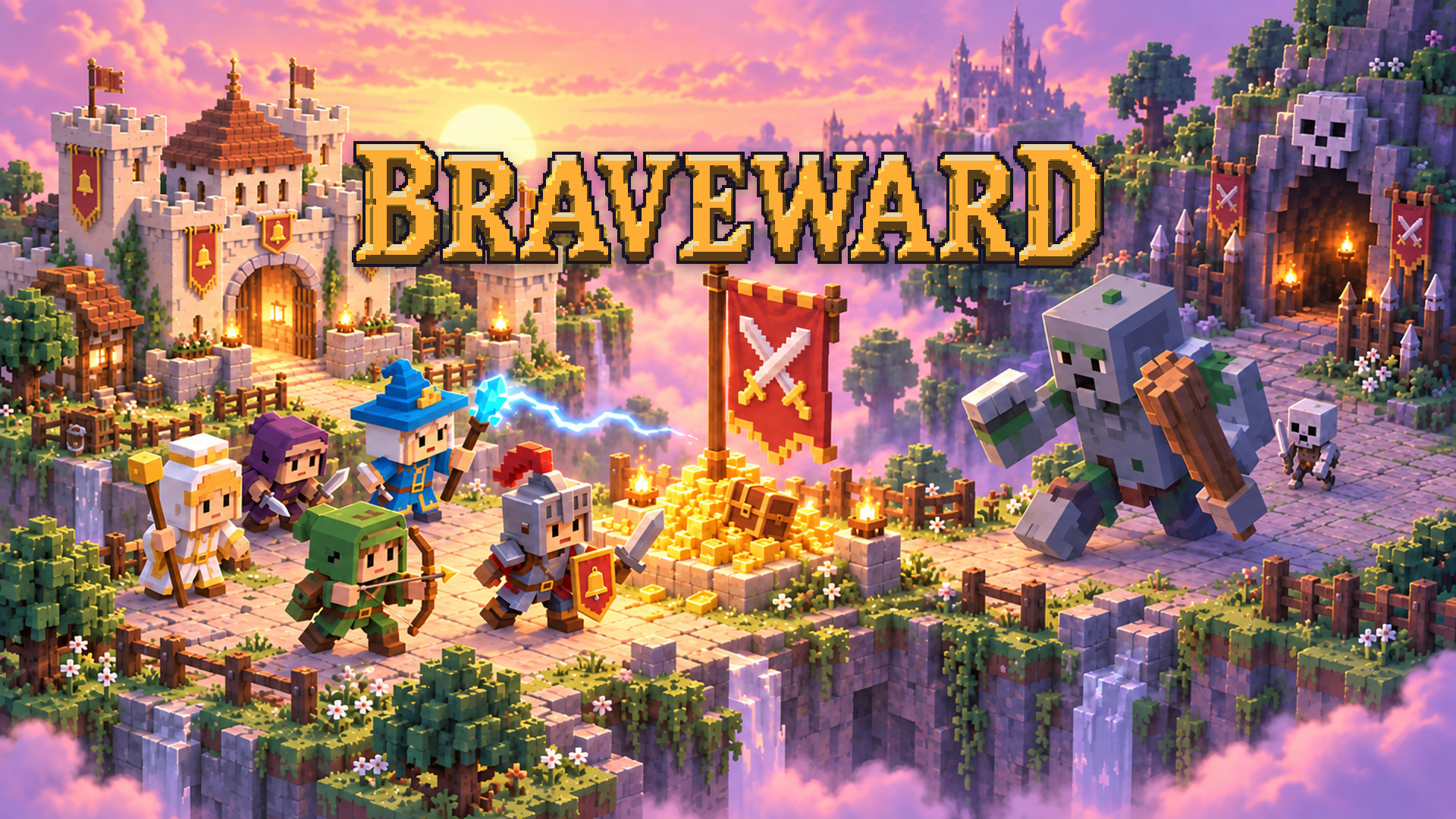
You're the king, but your heroes do whatever they want. Build guilds, put bounties on monsters and bribe the brave (and the greedy) into doing the job. Then hold out through a night of horde attacks until dawn. A voxel kingdom strategy with heroes who have minds of their own.
How to play Braveward
Rule from the throne, not the battlefield! You never command your heroes directly. You give them reasons to act, and they decide whether the gold is worth the danger.
How to win:
Build guilds next to your castle and hire warriors, rangers, rogues, healers and mages. Tap a monster or a den and post a bounty: attack it, scout the area or guard a spot. Heroes who like the reward will go for it. Build a Market and a Tavern so the gold your heroes spend comes back to you as taxes.
Each day has five phases, from dawn to night. Explore the ruins for loot, and when the messenger warns you about a siege, raise watchtowers on that side. At night every den wakes up and the Troll Warlord marches on your castle. Keep the castle standing until sunrise to win the day. Then a new, harder day begins. If the castle falls, the game is over.
Cast spells when things get tough: Heal, Royal Shield and Rally from the castle, plus Lightning and Gold Rain once you build a Mage Tower.
Desktop Controls:
Left Click: Select a hero, building or monster; place a building; cast a spell.
Click and Drag on empty ground: Move the camera.
W A S D / Arrow Keys: Scroll the map.
Mouse Wheel: Zoom in and out.
Right Click / Esc: Cancel building or spell targeting.
Esc: Open the pause menu.
Spacebar: Pause the game.
M: Mute sound.
Minimap: Click or drag to jump to any part of the realm.
Mobile Controls:
Tap: Select a hero, building or monster; place a building; cast a spell.
Drag on empty ground: Move the camera.
Pinch: Zoom in and out.
Cancel Button: Cancel building or spell targeting.
Minimap: Tap or drag to jump to any part of the realm.
Braveward controls
- Left Click: Select a hero, building or monster; place a building; cast a spell
- Mouse Wheel: Zoom in and out
- Right Click / Esc: Cancel building or spell targeting
- Esc: Open the pause menu
- Spacebar: Pause the game
- M: Mute sound
- Minimap: Click or drag to jump to any part of the realm
Braveward FAQ
Is Braveward free to play?
Yes. Braveward is free on Physics Shark, with nothing to download and no account to make.
Can I play Braveward unblocked at school?
Braveward runs in a normal browser tab with no install, so it plays on school Chromebooks and laptops, with nothing to install and no account.
Does Braveward work on phones and tablets?
Yes. It works with touch controls on phones and tablets, and with a keyboard and mouse on computers.
- LikedNo votes yet
- Rank#600 of 2870
- PlaysBe the first!
- UpdatedNovember 2026
Gameplay
About this game
- Controls
- Left ClickSelect a hero, building or monster; place a building; cast a spell
- Mouse WheelZoom in and out
- Right Click / EscCancel building or spell targeting
- EscOpen the pause menu
- SpacebarPause the game
- MMute sound
- MinimapClick or drag to jump to any part of the realm
- Supported devices
- Desktop, phone and tablet
- Genre
- Idlearcadesimulationstrategytycoonmanagementrpg














