 Physics Shark



























Survival Tycoon: City of Zombie
Looking for a tycoon game you can play at school? Survival Tycoon: City of Zombie loads straight in your browser on Physics Shark: free, unblocked and nothing to install.
Show moreShow less
Play Survival Tycoon: City of Zombie unblocked
Looking for a tycoon game you can play at school? Survival Tycoon: City of Zombie loads straight in your browser on Physics Shark: free, unblocked and nothing to install. Play it on a school Chromebook, a laptop, a phone or a tablet.
What is Survival Tycoon: City of Zombie?
Survival Tycoon: City of Zombie - Your Camp, Your Rules!
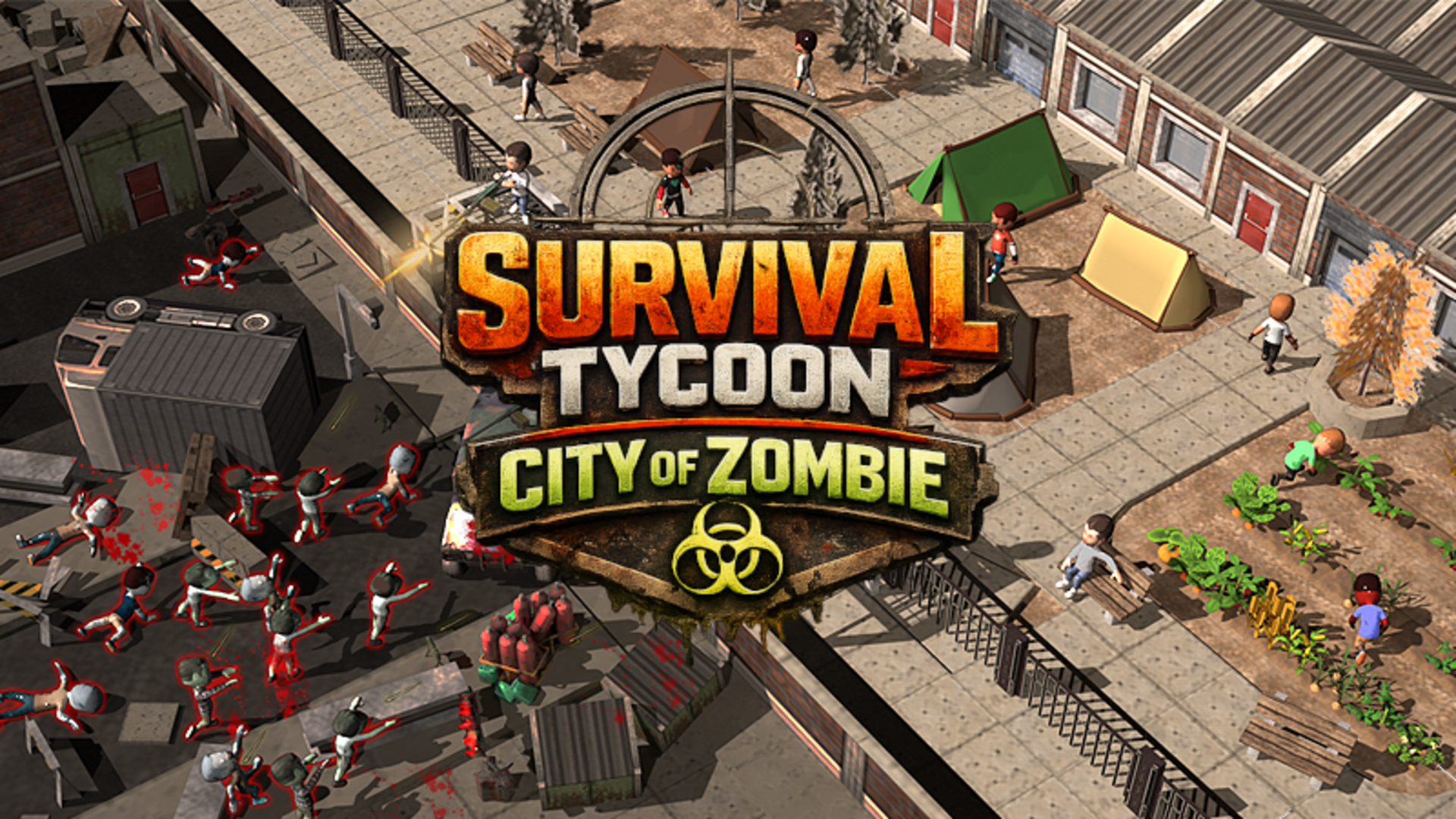
You are the leader of a survivor group in the heart of a zombie apocalypse. This is a thrilling idle tycoon strategy where your goal is to protect the barrier, gather resources, and survive! A true survival simulator for those who love camp management and crushing hordes of enemies.
What awaits you:
- Trap Defense: Protect your barrier! Research and install deadly gear - from deadly spikes to massive decoy bombs!
- Relocation & Progress: Don't stay still! Move between motels and farms, upgrade your camp, and unlock new zones.
- Scavenging Runs: Send your team for fuel. It’s a classic survival strategy - every drop of gas counts!
- Camp Evolution: Develop your facilities, automate your income, and become the ultimate master of the wasteland!
Strengthen the barrier, gear up your scouts, and hit the gas. Become a survival legend right now!
How to play Survival Tycoon: City of Zombie
🛡 Protect the barrier: Your main goal is to prevent the zombie horde from breaking into the camp.
🏗 Place traps: Simply drag defensive devices from the bottom panel to the highlighted zones on the battlefield.
💰 Complete quests: Follow the quest list to earn resources and grow your camp's economy.
🚀 Upgrade everything: Click on buildings and objects to increase their durability, damage, or income.
🖱 Interact: Click directly on zombies and objects on the map to actively assist your survivors.
Controls:
Mouse: Click and drag (to install traps), left-click (for menus and actions).
Survival Tycoon: City of Zombie controls
- Place traps: Simply drag defensive devices from the bottom panel to the highlighted zones on the battlefield
- Upgrade everything: Click on buildings and objects to increase their durability, damage, or income
- Interact: Click directly on zombies and objects on the map to actively assist your survivors
- Mouse: Click and drag (to install traps), left-click (for menus and actions)
Survival Tycoon: City of Zombie FAQ
Is Survival Tycoon: City of Zombie free to play?
Yes. Survival Tycoon: City of Zombie is free on Physics Shark, with nothing to download and no account to make.
Can I play Survival Tycoon: City of Zombie unblocked at school?
Survival Tycoon: City of Zombie runs in a normal browser tab with no install, so it plays on school Chromebooks and laptops, with nothing to install and no account.
Does Survival Tycoon: City of Zombie work on phones and tablets?
Yes. It works with touch controls on phones and tablets, and with a keyboard and mouse on computers.
- LikedNo votes yet
- Rank#406 of 2870
- PlaysBe the first!
- UpdatedNovember 2026
Gameplay
About this game
- Controls
- Place trapsSimply drag defensive devices from the bottom panel to the highlighted zones on the battlefield
- Upgrade everythingClick on buildings and objects to increase their durability, damage, or income
- InteractClick directly on zombies and objects on the map to actively assist your survivors
- MouseClick and drag (to install traps), left-click (for menus and actions)
- Supported devices
- Desktop, phone and tablet
- Games like Survival Tycoon: City of Zombie
- Epic Mine IdleIdle Airport TycoonMoney Ping PongAquarium of SurprisesMerge Cats Idle ArmyHarvest Rush














