 Physics Shark
































BAROHO
Looking for a 3D arcade game you can play at school? BAROHO loads straight in your browser on Physics Shark: free, unblocked and nothing to install. Play it on a school Chromebook, a laptop, a phone or a tablet.
Show moreShow less
Play BAROHO unblocked
Looking for a 3D arcade game you can play at school? BAROHO loads straight in your browser on Physics Shark: free, unblocked and nothing to install. Play it on a school Chromebook, a laptop, a phone or a tablet.
What is BAROHO?
Get your fingers ready — you'll need steel nerves and sharp reflexes for this one!
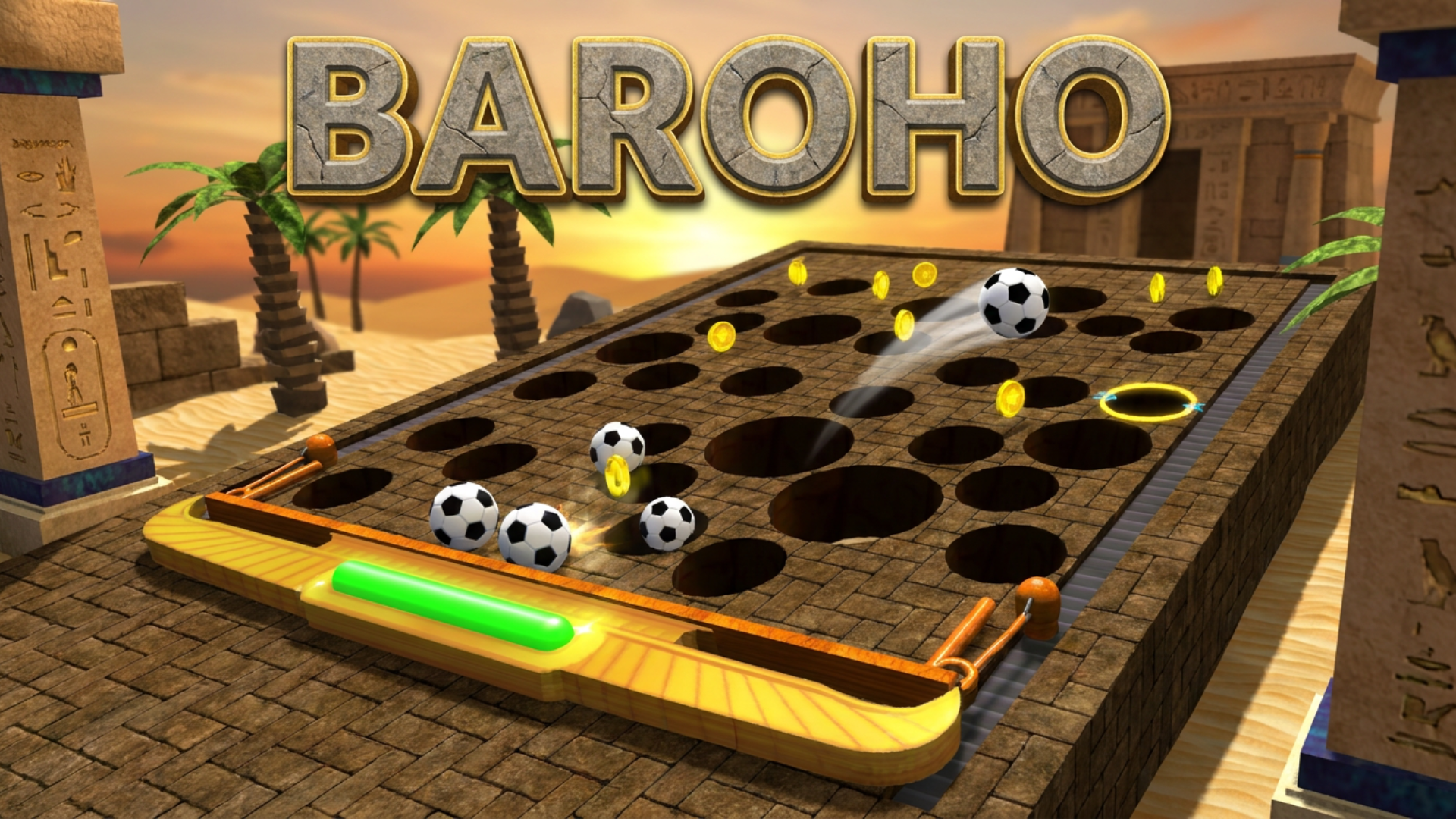
This isn't just an arcade game — it's a challenge on the edge of a breakdown! Your task is to move the platform with pinpoint precision, guiding the balls (obedient or not so much) straight into the right holes. But don't let your guard down: one wrong move, and the ball flies off course — and you're starting all over from the beginning!
An arcade game of skill and composure in full 3D.
How to play BAROHO
Move the platform-manipulator with your keyboard or on-screen joystick (touchscreen only).
Controls: WASD or Arrow Keys.
With a gamepad connected, use both analog sticks — each controls one side of the platform.
Tilt the manipulator to roll the ball left or right across the board.
Aim for the holes with yellow rims and glowing arrows.
Watch your ball count — you'll need every last one to win.
Collect coins (just don't drop them in the hole!) to buy new ball skins.
And when fans show up, get ready for an extra physics challenge!
BAROHO controls
- WASD or Arrow Keys: Controls
BAROHO FAQ
Is BAROHO free to play?
Yes. BAROHO is free on Physics Shark, with nothing to download and no account to make.
Can I play BAROHO unblocked at school?
BAROHO runs in a normal browser tab with no install, so it plays on school Chromebooks and laptops, with nothing to install and no account.
Does BAROHO work on phones and tablets?
Yes. It works with touch controls on phones and tablets, and with a keyboard and mouse on computers.
- LikedNo votes yet
- Rank#1336 of 2870
- PlaysBe the first!
- UpdatedNovember 2026
Gameplay
About this game
- Controls
- WASD or Arrow KeysControls
- Supported devices
- Desktop, phone and tablet
- Genre
- Arcadeskill3dphysicsagilityavoidchallenging














