 Physics Shark






































Clean The Garden
Looking for a 3D simulator you can play at school? Clean The Garden loads straight in your browser on Physics Shark: free, unblocked and nothing to install. Play it on a school Chromebook, a laptop, a phone or a tablet.
Show moreShow less
Play Clean The Garden unblocked
Looking for a 3D simulator you can play at school? Clean The Garden loads straight in your browser on Physics Shark: free, unblocked and nothing to install. Play it on a school Chromebook, a laptop, a phone or a tablet.
What is Clean The Garden?
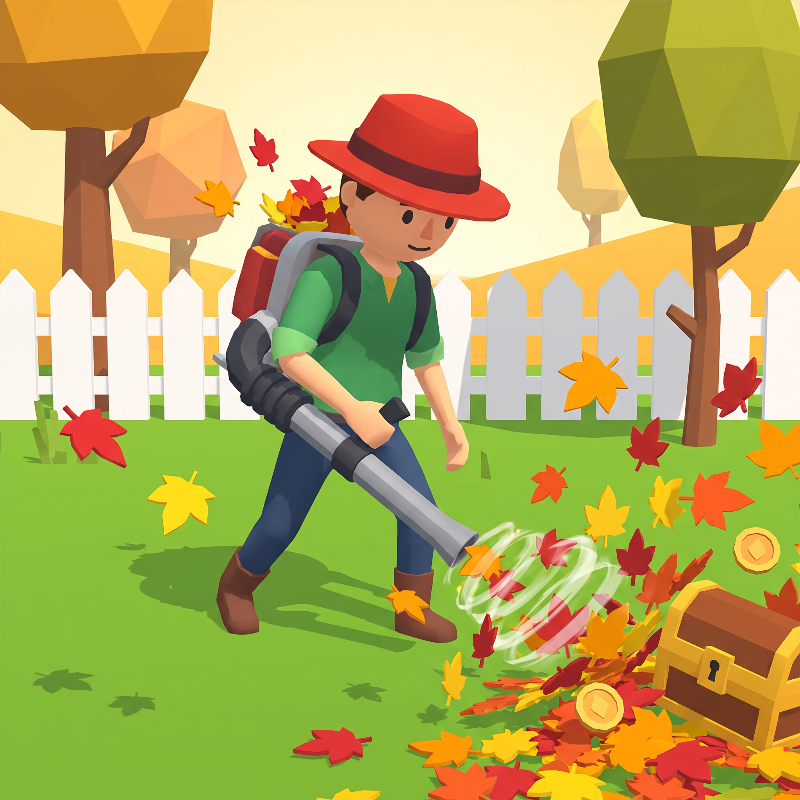
Clear a leaf-covered property one patch at a time. Gather leaves, carry them to compost bins, turn them into coins, and spend your earnings on faster movement, larger carrying capacity, and stronger tools.
Start with your bare hands, then unlock a rake, pitchfork, and leaf blower as new gates open from the Front Garden to the Backyard, Orchard, and Park Section. Follow objectives, improve each tool at its station, clean every area, and replay with the option to keep or reset your upgrades.
How to play Clean The Garden
- Keyboard: Use WASD or the arrow keys to move, Space to jump, E to interact, B to open upgrades, H to highlight remaining leaves, 1–4 to select a tool, Q to cycle tools, Tab to pause, and Escape to close an open menu or resume.
- Mouse: Move or drag to look around, hold the left mouse button to use the current tool, and use the mouse wheel to cycle tools.
- Touch: Use the left joystick to move, swipe the right side to look, and use the on-screen buttons to collect leaves or interact, highlight remaining leaves, jump, switch tools, open upgrades, and pause.
Clean The Garden controls
- Mouse: Move or drag to look around, hold the left mouse button to use the current tool, and use the mouse wheel to cycle tools
Clean The Garden FAQ
Is Clean The Garden free to play?
Yes. Clean The Garden is free on Physics Shark, with nothing to download and no account to make.
Can I play Clean The Garden unblocked at school?
Clean The Garden runs in a normal browser tab with no install, so it plays on school Chromebooks and laptops, with nothing to install and no account.
Does Clean The Garden work on phones and tablets?
Yes. It works with touch controls on phones and tablets, and with a keyboard and mouse on computers.
- LikedNo votes yet
- Rank#959 of 2870
- PlaysBe the first!
- UpdatedNovember 2026
Gameplay

About this game
- Controls
- MouseMove or drag to look around, hold the left mouse button to use the current tool, and use the mouse wheel to cycle tools
- Supported devices
- Desktop, phone and tablet
- Genre
- Casualarcadesimulation3dcozymanagementasmr














