 Physics Shark



















RoboStrike 3D
Play RoboStrike 3D online for free on Physics Shark. This 3D first-person shooter runs in a normal browser tab, so there's nothing to download and no sign-up, and it works on a Chromebook or any…
Show moreShow less
Play RoboStrike 3D unblocked
Play RoboStrike 3D online for free on Physics Shark. This 3D first-person shooter runs in a normal browser tab, so there's nothing to download and no sign-up, and it works on a Chromebook or any computer with a keyboard and mouse.
What is RoboStrike 3D?
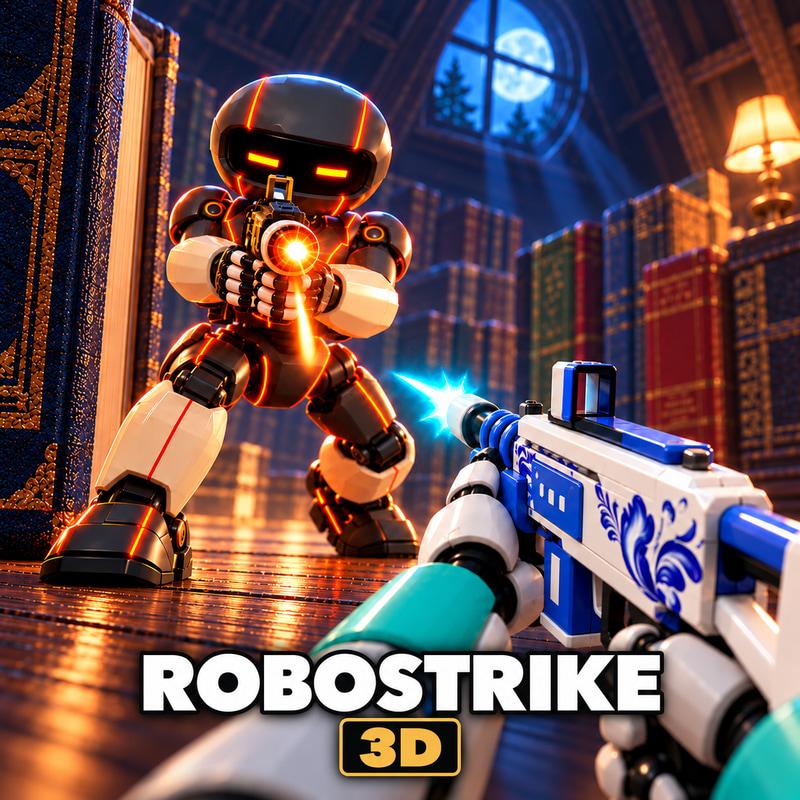
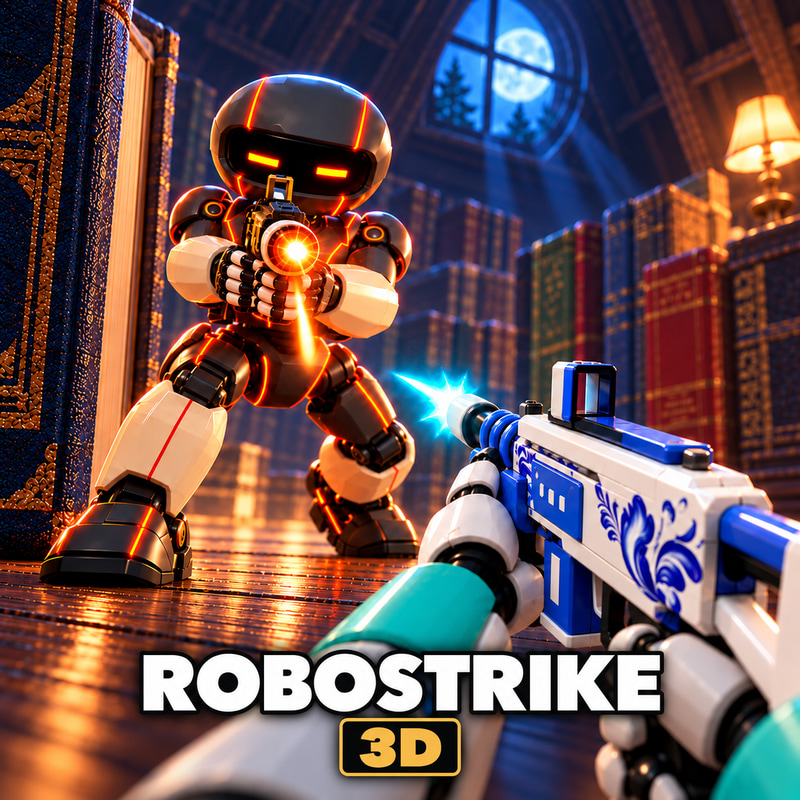
RoboStrike 3D is a fast-paced FPS where small robots battle across oversized everyday environments. Fight in an attic, kitchen, greenhouse, and scrapyard. Compete in Deathmatch or work together in the Batteries and Mega Robot modes. Choose your weapons, sprint and slide through the arenas, and customize your robot in the garage. Join online battles or practice against bots.
How to play RoboStrike 3D
Choose a mode and enter the arena. In Deathmatch, score the most eliminations. In Batteries, collect batteries and deliver them to your team's base to charge the cannon and destroy the enemy tower. In Mega Robot, charge your team's giant robot and use it to destroy the enemy core.
Controls:
WASD - Move
Mouse - Look around
Left mouse button - Shoot
Right mouse button - Aim
Space - Jump
Shift - Sprint
C while sprinting - Slide
R - Reload
1, 2, 3 - Switch weapons
4 - Equip grenade, then hold and release the left mouse button to throw
E - Interact
Tab - Scoreboard
Esc - Menu
RoboStrike 3D controls
- WASD: Move
- Mouse: Look around
- Left mouse button: Shoot
- Right mouse button: Aim
- Space: Jump
- Shift: Sprint
- C while sprinting: Slide
- R: Reload
RoboStrike 3D FAQ
Is RoboStrike 3D free to play?
Yes. RoboStrike 3D is free on Physics Shark, with nothing to download and no account to make. The game has optional in-game purchases, but you never need them to play.
Can I play RoboStrike 3D unblocked at school?
RoboStrike 3D runs in a normal browser tab with no install, so it plays on school Chromebooks and laptops, with nothing to install and no account.
Does RoboStrike 3D work on phones and tablets?
It's made for computers: play it with a keyboard and mouse, for example on a Chromebook.
- LikedNo votes yet
- Rank#134 of 2870
- PlaysBe the first!
- UpdatedNovember 2026
Gameplay

About this game
- Controls
- WASDMove
- MouseLook around
- Left mouse buttonShoot
- Right mouse buttonAim
- SpaceJump
- ShiftSprint
- C while sprintingSlide
- RReload
- 4Equip grenade, then hold and release the left mouse button to throw
- EInteract
- TabScoreboard
- EscMenu
- Supported devices
- Desktop only: best with a keyboard and mouse
- Genre
- Shooteraction3dshootingmultiplayerpvepvp














