 Physics Shark



















Eternal Dance
Eternal Dance is an arcade game you can play unblocked right here on Physics Shark.
Show moreShow less
Play Eternal Dance unblocked
Eternal Dance is an arcade game you can play unblocked right here on Physics Shark. It runs in your browser with no download, no install and no account, so you can play it on a school Chromebook, a laptop, a phone or a tablet.
What is Eternal Dance?
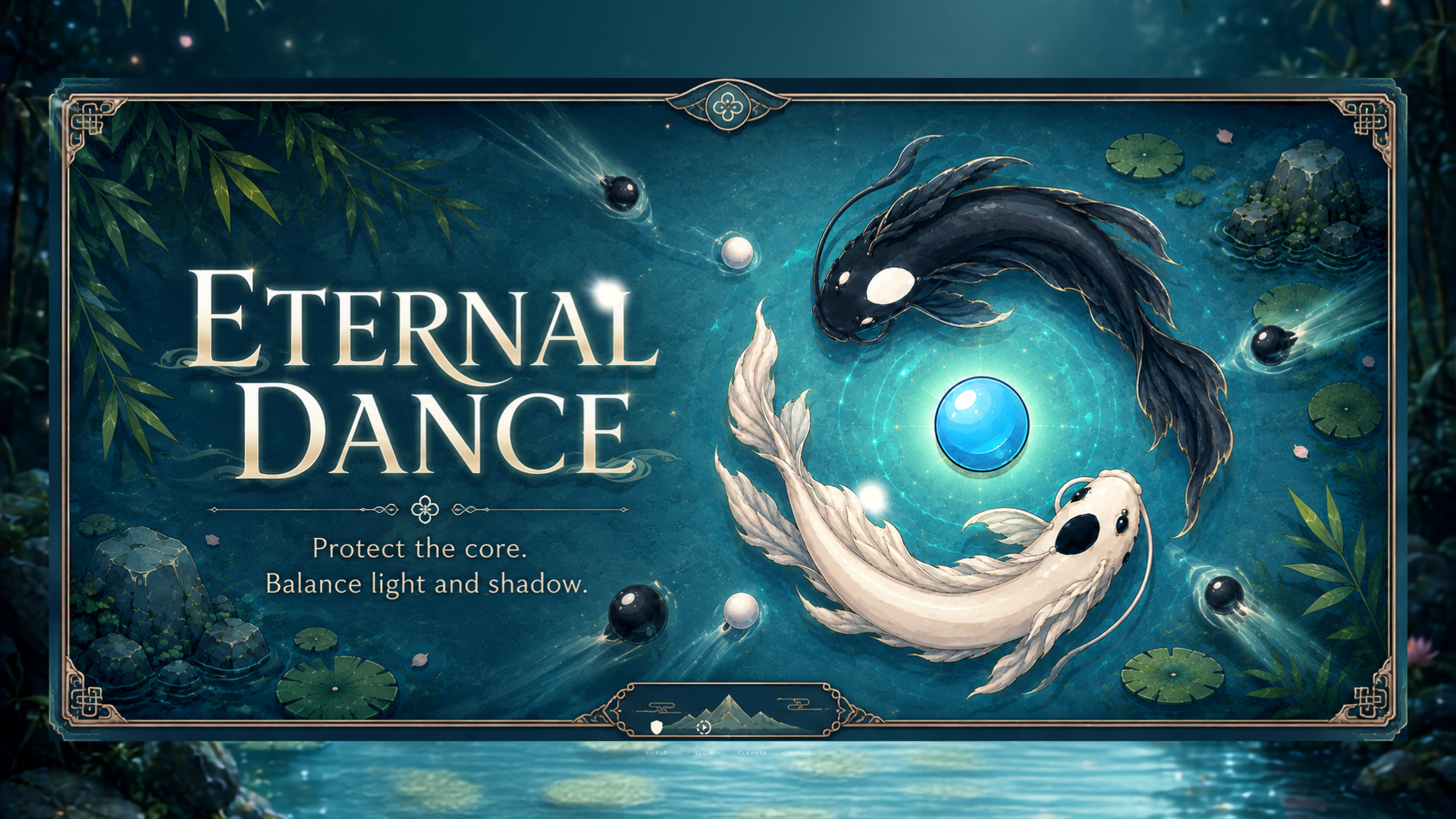
Eternal Dance is a calm, meditative arcade game about keeping balance. Two koi — one black, one white — endlessly circle a glowing orb in a hand-painted zen pond. Drifting ink threatens the orb from the dark, and only the koi of the matching color can dissolve it. Guide their dance, protect the orb, and lose yourself in the flow. Easy to learn, hard to master — a one-touch game that trades frantic reflexes for focus and serenity.
How to play Eternal Dance
Goal: Protect the blue orb at the center. Two koi orbit it — spin them so each koi meets the ink of its own color:
- Black koi dissolves black ink
- White koi dissolves white ink
Wrong-color koi can't stop the ink — it strikes the orb and cracks it. If the orb shatters, the dance ends.
Modes:
- Levels — survive until the timer runs out to clear each level.
- Endless — last as long as you can; your survival time is ranked on the leaderboard.
Powers (Shield, Slow, Cleanse, Heal) unlock as you progress, to help you hold the balance longer.
Controls:
- Desktop: hold SPACE (or ↑) to spin the koi; release to ease them to a stop.
- Touch: tap and hold anywhere to spin; release to slow down.
Eternal Dance controls
- Keyboard / mouse: hold SPACE (or ↑) to spin the koi; release to ease them to a stop
Eternal Dance FAQ
Is Eternal Dance free to play?
Yes. Eternal Dance is free on Physics Shark, with nothing to download and no account to make.
Can I play Eternal Dance unblocked at school?
Eternal Dance runs in a normal browser tab with no install, so it plays on school Chromebooks and laptops, with nothing to install and no account.
Does Eternal Dance work on phones and tablets?
Yes. It works with touch controls on phones and tablets, and with a keyboard and mouse on computers.
- LikedNo votes yet
- Rank#258 of 2870
- PlaysBe the first!
- UpdatedNovember 2026
Gameplay
About this game
- Controls
- Keyboard / mousehold SPACE (or ↑) to spin the koi; release to ease them to a stop
- Supported devices
- Desktop, phone and tablet














